Georgia Permits on Recreation.gov
A Georgia forest OHV permit is easy to mistake for a vehicle registration or a general pass to ride anywhere. It is neither. This guide explains how to find the permit through Recreation.gov, choose the right option, make sure each rider is covered, and carry proof that you can show at the trailhead.
What a Recreation.gov permit covers
Recreation.gov is an online channel for buying permits for designated off-highway vehicle riding areas in Georgia’s national forests. The permit is tied to the forest OHV system and the person operating the machine. It is not a registration plate, proof of ownership, or permission to ride on every road and trail in the state.
Georgia’s six national forest OHV systems are Houston Valley, Beasley Knob, Whissenhunt, Town Creek, Oakey Mountain, and Davenport Mountain. The permit program and the riding rules for a particular system are separate questions: a permit may cover access to the permit program’s OHV areas, but a trail can still be closed, restricted by machine size, or subject to other rules.
For a broader overview of which permit option applies to your trip, see Georgia’s Day and Annual Forest OHV Permits. The key distinction is usually how long you plan to ride and whether you expect to visit more than once. An annual permit can make sense for repeat trips, while a day permit may suit a one-off visit. Check the current Recreation.gov listing and the Forest Service’s local information before you pay, since the available options and instructions can change.
| What you need to know | What the permit does | What it does not do |
|---|---|---|
| Permit coverage | Covers an operator under the applicable Georgia forest OHV permit option | Does not automatically cover every person in a group |
| Riding area | Applies to the covered designated OHV systems, subject to local rules | Does not open closed trails or authorize riding anywhere in the forest |
| Machine | Identifies the operator’s permit status for riding | Is not vehicle registration, a title, or proof of ownership |
| Road access | May be needed to ride a designated OHV area | Does not make a public road legal for an ATV or UTV |
| Trip planning | Can be purchased online through Recreation.gov when available | Does not guarantee a trail is open or in good condition |
Before purchasing, confirm that the listing is for the Georgia forest OHV permit you need rather than a different recreation pass or activity. Recreation.gov hosts many kinds of reservations and passes, and search results can lead to similar-looking pages. A general forest recreation pass, campground booking, or reservation for another activity should not be assumed to cover OHV riding.
It is also important to separate a forest permit from Georgia vehicle registration. Registration rules apply to certain machine types in certain circumstances; a forest OHV permit is about access to designated riding areas. Neither one replaces the other where both are required. Read What an Operator Permit Does Not Cover if you are trying to determine whether a permit changes your rights beyond the trail system.
How to find and buy the permit on Recreation.gov
The safest approach is to start from the official Recreation.gov site or app and search for the Georgia forest OHV permit. Avoid relying on an old receipt, a saved search result, or a third-party page as proof that you have selected the right product. The listing should describe the permit type, the covered activity or area, the purchase process, and the instructions for carrying or displaying proof.
If you are unsure which listing applies, compare its name and details with current Forest Service guidance for the riding system you plan to visit. You can also check How to Buy a Georgia Forest OHV Permit for a step-by-step overview. The objective is to confirm the permit category before checkout, not just to find a page with “Georgia” and “OHV” in the title.
A practical purchase sequence looks like this:
- Choose the riding area and date. Check the Forest Service’s current trail status and the specific system’s restrictions first. Do not buy a permit on the assumption that your preferred trail will be open.
- Open the official permit listing. Confirm the activity, location, permit duration, and any operating instructions shown on Recreation.gov.
- Select the appropriate permit. Choose a day or annual option based on the trip you actually intend to take. Review the current terms before submitting payment.
- Check who needs a permit. The Georgia forest permit is generally per operator, not per machine. Make sure every person who will operate a machine has the required coverage.
- Complete checkout under the correct account. Use contact details you can access on the trip, and review the confirmation screen before finishing.
- Save the confirmation and permit details. Keep the information available offline and follow the listing’s directions about whether to print, display, or otherwise carry proof.
The purchase is not complete in a useful sense until you can retrieve the permit when asked. A payment receipt may show that a transaction happened, but it is not always the same thing as the permit or pass itself. Read the confirmation carefully and save the specific document or display instructions Recreation.gov provides.
The permit follows the operator, not the machine. That distinction matters when one family member drives one machine in the morning and another takes over later, or when a group brings several vehicles but only one person has purchased a permit. Review Georgia National Forest Permits Are Per Operator and make a separate plan for each person who may operate.
A passenger who does not operate is different from an operator. Do not assume that a passenger needs a separate operator permit simply because they ride along, but do check the current permit terms and any age or supervision rules that apply to the particular trail or facility. If passengers might take turns driving during the day, each person who will operate should be covered.
You may see people discussing permit purchases on marketplaces or social media. Do not buy an OHV permit through an Amazon listing or treat a seller’s description as official permission to ride. Use Recreation.gov or the relevant official channel for the permit itself; third-party listings are not a substitute for a valid permit issued through the program.
Choosing between a day permit and an annual permit
The right choice depends on your riding plans, not the number of machines you own. A day permit is generally designed for a limited visit, while an annual permit is intended for repeat riding during its validity period. Confirm the precise terms and dates on the current Recreation.gov listing rather than relying on an old screenshot or a friend’s description.
| Your plans | Option to investigate | Check before buying |
|---|---|---|
| One planned visit | Day permit | That the date or validity period covers the day you will ride |
| Several visits during the permit period | Annual permit | Its start date, end date, covered systems, and current conditions |
| A group with multiple drivers | A permit for each operator as required | Whether every person who may drive is covered |
| A machine used by different family members on separate trips | Each operator’s permit status | Do not treat one owner’s permit as a vehicle-wide pass |
| A trip where trails may be closed | Wait to confirm access or review cancellation terms | A permit does not ensure the trail will be open |
If you ride regularly, an annual option may simplify planning, but it does not mean you can skip checking closures before every trip. A forest may close a route for maintenance, weather, resource protection, or another operational reason. A valid permit is not a guarantee that a particular trail will be open on a particular day.
If you ride only once, a day option may be more appropriate. Still, verify that it covers your planned date and that you have selected the OHV permit rather than a different pass. If you are purchasing close to the trip, leave time to resolve an account, payment, or confirmation problem before heading to the trailhead.
The annual permit’s system coverage is another point worth confirming. The permit program is commonly described as covering all six Georgia national forest OHV systems, but check the current official terms for the specific permit you are purchasing. One Annual Permit Covers All Six Georgia OHV Systems explains the coverage question in more detail.
A permit is usually not something to buy speculatively and then assume you can return or transfer if plans change. Before paying, read the current terms for refunds, transfers, start dates, and changes. The practical guidance in Georgia Permits Are Non-Refundable and Georgia Permits Are Non-Transferable can help you identify the issues to check, but the terms shown for your actual purchase should control.
Do not select an annual permit just because it sounds more flexible. If you will not use it again, the longer duration may not be useful. Conversely, if you expect multiple visits, compare the current day and annual options rather than buying a separate day permit for each trip without checking whether an annual option fits better. Since fees and product terms can change, confirm current figures directly with Recreation.gov.
Saving and showing proof at the trailhead
After checkout, take a moment to make sure you can access the permit without relying on a strong cell signal. Trailheads in forested or mountainous areas may have limited or no service. A confirmation email that is available only after logging in can be inconvenient if your phone cannot connect.
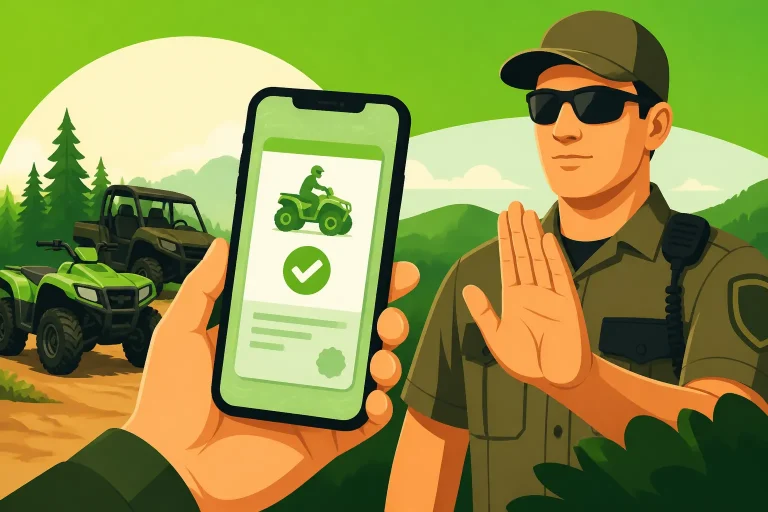
Follow the delivery and display instructions in the Recreation.gov confirmation. Depending on the current process, proof may be available in an account, an app, a digital document, or a printable format. Do not assume that a bank-card charge or a purchase confirmation alone is enough. The important question is what the official permit instructions say you must carry or show.
A simple preparation routine helps:
- Open the permit while you still have internet access.
- Save or download the document or pass if the platform allows it.
- Take note of any display instructions, including whether proof must be visible on the machine.
- Consider printing a copy if the instructions allow or recommend it.
- Keep a backup in a separate place from your phone.
- Make sure each operator in the group can show their own permit when required.
A phone screenshot can be useful as a backup, but do not rely on a screenshot if the permit instructions require a live display, a particular document, or another form of proof. Check the actual terms rather than assuming all digital images are accepted.
If you choose to print the permit, protect it from rain, mud, and tearing. A small clear sleeve or document pouch can keep paper legible. If you are shopping for a basic sleeve or phone pouch, Amazon is one place to look, but the product is just storage; it does not provide or validate a permit. A waterproof phone pouch from Amazon can also be a practical backup for a wet ride, provided it does not prevent you from showing the required information clearly.
The permit should remain readable and accessible throughout the trip. Do not tuck it somewhere you cannot reach when a ranger or other official asks to see it. Conversely, avoid attaching a loose sheet where wind, branches, or mud can remove or obscure it. Review Printing a Permit Before You Leave and Carrying a Permit on the Trail for more on preparing proof.
Groups should check permits before unloading. One person can help everyone confirm that their own permit is saved, but one person’s permit should not be treated as coverage for every driver. If you have several machines and multiple operators, make a quick list of who may drive each one. This avoids the common mix-up where a group counts machines but forgets that the permit requirement is tied to operators.
Amazon may have generic document holders, phone mounts, or dry bags that help keep a permit or phone protected, but do not buy a product on the assumption that it is an official permit holder or proof of compliance. Check the riding area’s display instructions first. If you use a phone mount, make sure it does not interfere with safe operation, visibility, or control of the machine.
Common mistakes and what the permit does not authorize
The most frequent mistake is treating the forest OHV permit as a statewide ATV or UTV permit. It applies to the designated permit program and its conditions; it does not make a quad or side-by-side legal on an ordinary public road. Road access has separate rules, and the permit does not override them. For county-road questions, see Georgia MPOHV Road Rules: County Roads Only.
Other misunderstandings can cause trouble even when the permit itself is valid:
- Buying for the vehicle instead of the operator. The permit is not a tag assigned to one machine. Confirm coverage for each person who will drive.
- Assuming a valid permit means every trail is open. Always check current closures and restrictions.
- Confusing a forest permit with a recreation pass. Confirm that the product is specifically for OHV riding.
- Relying on a receipt without checking the permit. Save the actual permit information and follow its display instructions.
- Assuming the permit replaces vehicle paperwork. It is not a title, registration, insurance policy, or proof of ownership.
- Assuming all forest roads are riding trails. Ride only where OHV use is permitted and follow signs, gates, and closures.
- Assuming a forest permit governs private parks or WMAs. Those locations may have their own requirements and operating rules.
Wildlife Management Areas are a good example of why location matters. A forest OHV permit does not automatically grant access to ride on WMA roads. WMA access can depend on the area, the day, the time, and the activity taking place. Read Georgia WMA Riding Rules Explained before planning a ride on WMA property.
Private riding parks set their own rules as well. A national forest permit should not be assumed to pay a private park’s entrance charge or satisfy its waiver, insurance, age, or machine requirements. Check the park’s own current guidance before traveling.
Trail condition is another separate issue. A permit does not make a route suitable for your machine or experience level. Some systems restrict machine dimensions, and a trail can become unsafe or close after heavy rain. Check Georgia Trail Conditions Before You Drive and the relevant trail-system information before towing out.
If you discover a problem after purchase, use the account and support path provided by Recreation.gov and retain your confirmation details. Do not assume that changing the rider name, moving the permit to another person, or requesting a refund will be allowed. The official terms can explain what options exist for that specific permit. For account or checkout trouble, note the error and transaction information before contacting support rather than making a second purchase without checking whether the first one completed.
Finally, do not rely on an old permit saved from a prior season. Confirm that its validity period covers your planned ride, and check that the current system rules have not changed. A short pre-trip check of the permit, trail status, machine eligibility, and operator coverage is much easier than sorting out an avoidable issue at the trailhead.
A quick pre-trip checklist
Use this checklist before loading the machine:
- Confirm the destination. Make sure you are going to a designated Georgia national forest OHV system, not an unrelated road or property.
- Check current access. Look for closures, weather-related restrictions, and any machine-width or trail-specific limits.
- Choose the correct permit. Verify the day or annual option, its dates, and coverage on Recreation.gov.
- Cover each operator. Confirm that every person who may drive has the required permit.
- Save proof. Download or print the permit as directed, and make sure it is available without dependable cell service.
- Carry the right machine paperwork. Keep registration, insurance, or ownership documents separate from the forest permit if applicable.
- Review location-specific rules. Check rules for passengers, minors, required equipment, and any adjoining WMA or private property.
- Recheck before departure. A permit does not guarantee the trail is open, so verify conditions shortly before leaving.
When in doubt, treat Recreation.gov as the purchase source and the Forest Service’s current system information as the place to confirm where and how the permit applies. A few minutes spent checking the operator, permit dates, and trail status can prevent a frustrating trip to a closed gate or a trailhead where the wrong person has the only proof.
Disclaimer
This article is for general informational purposes only and does not constitute professional advice. Laws, prices and regulations vary by location and change over time. Consult a qualified professional for guidance on your specific situation.