Showing a Permit on Your Phone
A phone can be a convenient place to keep your Georgia OHV permit, but a screen is only useful if the permit is easy to find, readable and available without cell service. Prepare before leaving home, and carry a paper backup when practical. The right setup helps avoid a trailhead scramble without confusing a permit with permission to ride anywhere.
What showing a permit on your phone means
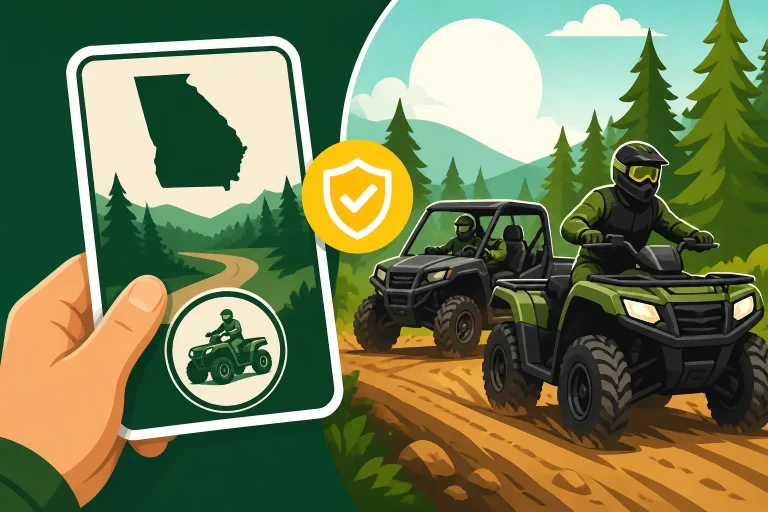
A Georgia Forest OHV permit is proof that the operator has the required permit for riding in the covered areas. If you have a digital permit, displaying it on your phone can be a practical way to carry that proof. The important part is being able to show the actual permit information when asked, not merely saying you purchased one.
A phone display is not a substitute for meeting the permit’s terms. A permit does not automatically open every forest road or trail, authorize riding on private land, or replace other rules that apply to a particular riding area. It also does not register your machine for public-road use. Check the rules for your destination separately, including trail access, hours, closures and any operator requirements.
Before relying on a mobile copy, read the instructions that came with your permit. If the issuing service or the relevant ranger district explains how to present it, follow those directions. If you are unsure whether a saved image or downloaded file will be accepted, check with the permit provider or ranger district before your trip. Don’t assume that a payment receipt, order confirmation or transaction screen is the same thing as the permit itself.
It can help to keep the permit’s file or screen separate from the email or account page where you bought it. A receipt may show a purchase but not provide all the details an official needs to verify the permit. For background on the permit and purchase process, see How to Buy a Georgia Forest OHV Permit.
Set up your phone before you reach the trailhead
Cell service can be unreliable in forested or mountainous riding areas. A permit stored only in an online account may be difficult to retrieve if the page won’t load. Set up an offline copy before you leave, then test that it opens with your phone in airplane mode or with mobile data switched off.
| How you carry the permit | What it helps with | What to check |
|---|---|---|
| Downloaded PDF or permit file | Opens without a live connection | Confirm the complete permit is saved and readable |
| Saved image of the permit | Quick to open from your photos | Check that all details are legible and nothing is cropped |
| Online account or email | Useful for finding the original record | Don’t rely on it if service may be unavailable |
| Printed copy | Works if the phone battery dies or the screen fails | Keep it clean, dry and with your riding documents |
A saved copy is useful only if it is the right document. Open it before the trip and check that it shows the relevant permit details, such as the operator or permit information required by the issuing service. Make sure the text is not blurred, cut off or hidden behind a notification. If your permit includes a barcode or other verification feature, check that it is visible and not obscured by a screen overlay.
A few practical steps make the phone easier to use:
- Save the permit to a place you can reach quickly, such as a downloaded-files folder or a dedicated document app.
- Open the saved file once while connected, then confirm it still opens without a connection.
- Set your screen brightness high enough to read outdoors, and remove any screen protector glare if it makes the permit hard to see.
- Keep your phone charged before leaving and consider carrying a power bank.
- If you ride with others, make sure each operator can retrieve their own permit rather than relying on one person’s phone.
A screenshot can be convenient, but use it only if the permit instructions allow that method and the image shows the complete, current permit. A screenshot of a checkout page or an email saying “payment received” may not establish the same thing. When in doubt, keep the original downloadable permit as well.
If you print a backup, treat it as a second copy rather than a replacement for following the permit’s instructions. A printed sheet tucked into a wet gear bag can become unreadable, so use a protective sleeve or keep it with other dry documents. Printing a Permit Before You Leave covers the paper-copy option, while Carrying a Permit on the Trail looks at keeping proof accessible during a ride.
What to show, and who needs a permit
The permit is associated with the operator, not simply with a machine. That matters when several people share a side-by-side or quad, when a group arrives in separate vehicles, or when someone changes machines during the day. One person’s permit should not be treated as proof that every operator in a group has met the permit requirement.
Georgia forest OHV permits are per operator, and the annual permit applies across the covered OHV systems. For the distinction between a rider and a machine, see Georgia’s Per-Operator Permit, Not Per Vehicle and One Annual Permit Covers All Six Georgia OHV Systems. Check the current permit terms for any age-related or other conditions that apply to the people in your group. Don’t assume that a passenger needs the same permit as an operator, or that a passenger’s permit covers a person who takes the controls.
At a trailhead, be ready to show the permit for the person operating. Keep it easy to open without scrolling through a long email chain or searching multiple apps. If an official asks to inspect it, bring up the permit itself and hold the screen steady so the relevant information can be read. Avoid handing over an unlocked phone unless necessary; you can usually position the screen for viewing.
A simple group check before unloading can prevent confusion:
- Each operator knows where their permit is saved.
- Each digital copy opens without cell service.
- The name or other identifying details match the operator where applicable.
- No one is relying on a friend’s account or purchase confirmation as their only proof.
- Everyone knows where the backup copy is kept.
If a phone is shared in a family or group, be especially careful about whose permit appears on screen. A permit tied to one person should not be presented as if it belongs to another. If you are unsure how a specific permit applies when operators change or when a rider is a minor, confirm the terms with the permit provider before the trip.
A permit also has a limited purpose. It does not replace private-land permission, a machine’s registration where required, or rules that apply to a particular WMA or private riding park. For location-specific access details, see What a Ranger Checks at a Georgia OHV Trailhead and Georgia Visitors From Other States.
Troubleshooting and backup plans
Phones fail in ordinary ways: batteries drain, screens crack, files disappear after an app update, and a phone can be left in a vehicle while the group unloads. A little preparation is more reliable than trying to solve these problems at the entrance.
If your file will not open, first check whether you are looking at the permit or only a receipt. Try the downloaded file or image saved on the device rather than refreshing an online page. If the screen is too dim or damaged to read, use a backup copy if you have one. Don’t alter the document to make it look clearer; instead, retrieve an unmodified copy or contact the issuing service for help.
If your phone battery dies, a paper copy can provide a backup if the permit’s instructions allow it. A second device may also help, but don’t count on another rider’s permit to cover you. If you have no usable proof, contact the appropriate permit provider or ranger district and ask what to do before proceeding. Do not assume that a bank charge or a verbal explanation will be enough to resolve the issue at the trailhead.
For a smooth check, keep the phone accessible but protected. A waterproof pouch can guard against rain and mud, but it should not make the display unreadable or prevent you from opening the permit. If you use a mount, check that it does not cover the screen. Avoid leaving the phone exposed to heat or placing it where a fall could damage it.
Finally, confirm that the permit is current and intended for the riding area you plan to visit. A saved permit from a previous trip may still be on your device, and a screenshot may not update automatically if the underlying permit changes or expires. Before departure, verify the dates and terms on the permit itself and check for current access information from the relevant official source. A phone is a useful way to carry permit proof, but a fresh, readable copy and a backup are a safer plan than relying on a signal or a nearly empty battery.
Disclaimer
This article is for general informational purposes only and does not constitute professional advice. Laws, prices and regulations vary by location and change over time. Consult a qualified professional for guidance on your specific situation.